Workspace
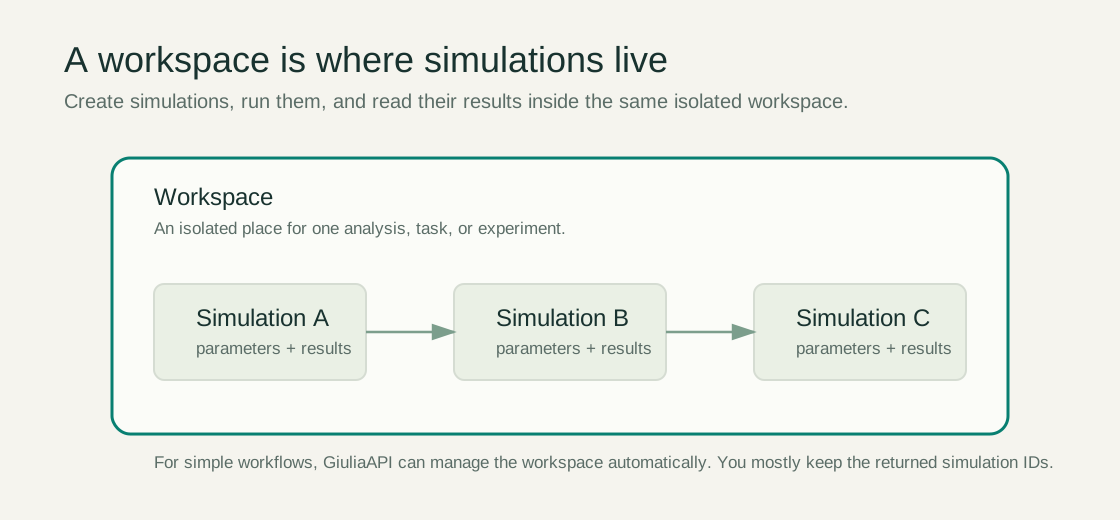
An isolated container for one task, workflow, or analysis. A workspace owns simulations, counters, quotas, and transient state.
GiuliaAPI exposes radio network simulations to applications and AI agents through a stable workspace model, a REST API, and an MCP-compatible tool interface.
GiuliaAPI is designed for AI agents that need to inspect, modify, run, and evaluate radio network simulations. It provides a human-readable REST interface, machine-readable tool schemas, and an MCP endpoint for clients that support tool calling through the Model Context Protocol.
sim_id.
GiuliaAPI is built on top of the open-source OpenGiuliaSLS project. OpenGiuliaSLS provides the underlying radio network simulation engine; GiuliaAPI adds an agent-friendly service layer around it, including HTTP endpoints, MCP tool schemas, workspace lifecycle management, quotas, and usage instrumentation.
This separation is intentional: OpenGiuliaSLS remains the simulation core, while GiuliaAPI focuses on making that core usable by external agents, applications, scripts, and notebooks.
An isolated container for one task, workflow, or analysis. A workspace owns simulations, counters, quotas, and transient state.
A configured radio scenario. Simulations can be created, cloned, modified, executed, queried, and deleted inside a workspace.
One realization of the simulated environment, such as user placement or traffic state. Many KPIs aggregate over episodes.
A time or execution unit inside a run. Quotas often use episodes multiplied by steps as the resource unit.
Engineering or UE values that agents can inspect and modify before running a simulation.
KPI outputs from completed simulations, available as raw or aggregated data depending on the endpoint.
Authenticated deployments expect an API key in the X-API-Key header. For simple workflows, GiuliaAPI creates or reuses a workspace automatically. Advanced clients may pass X-Workspace-ID explicitly to select a specific workspace.
| Header | Purpose |
|---|---|
X-API-Key | Identifies the principal making the request and applies scopes, limits, and quotas. |
X-Workspace-ID | Optional for advanced workflows. Selects a specific workspace when multiple workspaces are active. |
API keys can be configured with different permissions depending on the deployment. A key may be allowed to create workspaces, run simulations, inspect results, or all of these.
sim_id on later calls.BASE="https://nicopi-giuliaapi.hf.space"
API_KEY="your-api-key"
SIM_ID=$(curl -s -X POST "$BASE/api/create_simulation" \
-H "X-API-Key: $API_KEY" \
-H "Content-Type: application/json" \
-d '{"scenario_model":"ITU_R_M2135_UMa","ue_distribution":"uniform","link_direction":"downlink","number_of_episodes":1}' \
| python -c "import sys,json; print(json.load(sys.stdin)['sim_id'])")
curl -s -X POST "$BASE/api/run_simulation" \
-H "X-API-Key: $API_KEY" \
-H "Content-Type: application/json" \
-d "{\"sim_id\":\"$SIM_ID\"}"import requests
base = "https://nicopi-giuliaapi.hf.space"
headers = {"X-API-Key": "your-api-key"}
# Create a simulation in your API-key workspace.
sim = requests.post(f"{base}/api/create_simulation", headers=headers, json={
"scenario_model": "ITU_R_M2135_UMa",
"ue_distribution": "uniform",
"link_direction": "downlink",
"number_of_episodes": 1,
}).json()
# Run the latest simulation in that workspace.
requests.post(f"{base}/api/run_simulation", headers=headers)
# Read aggregated results from the latest simulation.
results = requests.post(f"{base}/api/get_aggregated_results", headers=headers, json={
"kpis": ["ue_throughput_Mbps"],
"group_by": "all",
"metrics": ["mean"],
}).json()
print(results)The MCP endpoint is available at /mcp. It exposes Giulia simulation operations as tools using JSON-RPC over the MCP transport.
MCP clients generally call initialize, then tools/list, then tools/call. Workspace binding is handled by headers, transport session metadata, or server-side binding. Tool arguments should describe the simulation operation, not workspace management.
| Mode | How workspace is chosen | Use case |
|---|---|---|
| REST simple mode | Automatic workspace plus sim_id routing | Applications, scripts, notebooks, custom clients. |
| REST workspace mode | X-Workspace-ID header | Advanced workflows with multiple active workspaces. |
| MCP attached workspace | Transport/session binding or server-side auto-binding | Claude, ChatGPT, Codex, and other MCP clients. |
| Mixed REST/MCP | Same workspace ID or server mapping from simulation IDs | Advanced workflows that combine application control and agent tools. |
GiuliaAPI records workspace-level counters so clients can monitor API usage and simulation activity.
| Counter | Meaning |
|---|---|
call_count | Total counted API calls in the workspace. |
created_simulation_count | Number of simulations created in the workspace. |
run_simulation_count | Number of valid run attempts. |
completed_simulation_count | Number of simulations that completed successfully. |
completed_episode_count | Total completed episodes across successful runs. |
active_simulation_count | Current number of simulations retained in the workspace. |
| Category | Endpoint | Description |
|---|---|---|
| Workspace | POST /api/create_workspace | Create an isolated workspace. |
| Workspace | GET /api/workspaces/{workspace_id} | Read workspace metadata and counters. |
| Workspace | GET /api/workspaces | List active workspaces when permitted. |
| Workspace | DELETE /api/workspaces/{workspace_id} | Delete a workspace and release its state. |
| Simulation | POST /api/create_simulation | Create a simulation from scenario parameters. |
| Simulation | POST /api/list_simulations | List simulations in a workspace. |
| Simulation | POST /api/clone_simulation | Clone an existing simulation. |
| Simulation | POST /api/delete_simulation | Delete a simulation. |
| Parameters | POST /api/get_engineering_parameters | Inspect engineering parameters. |
| Parameters | POST /api/set_engineering_parameter | Modify engineering parameters. |
| Carrier management | POST /api/get_carrier_management_config | Inspect cell roles, pairings, and shutdown settings. |
| Carrier management | POST /api/set_carrier_management_config | Modify carrier-management settings before running. |
| Parameters | POST /api/get_ue_parameters | Inspect UE parameters. |
| Parameters | POST /api/set_ue_parameter | Modify UE parameters. |
| Execution | POST /api/run_simulation | Execute a simulation. |
| Results | POST /api/get_results | Return result data. |
| Results | POST /api/get_aggregated_results | Return aggregated KPI data. |
| Tools | GET /tools | Full capability manifest. |
| Tools | GET /tools/openai | Tool schemas in OpenAI format. |
| Tools | GET /tools/anthropic | Tool schemas in Anthropic format. |
| Tools | GET /tools/text | Plain-text tool reference for prompt injection. |
| MCP | POST /mcp | MCP JSON-RPC endpoint. |